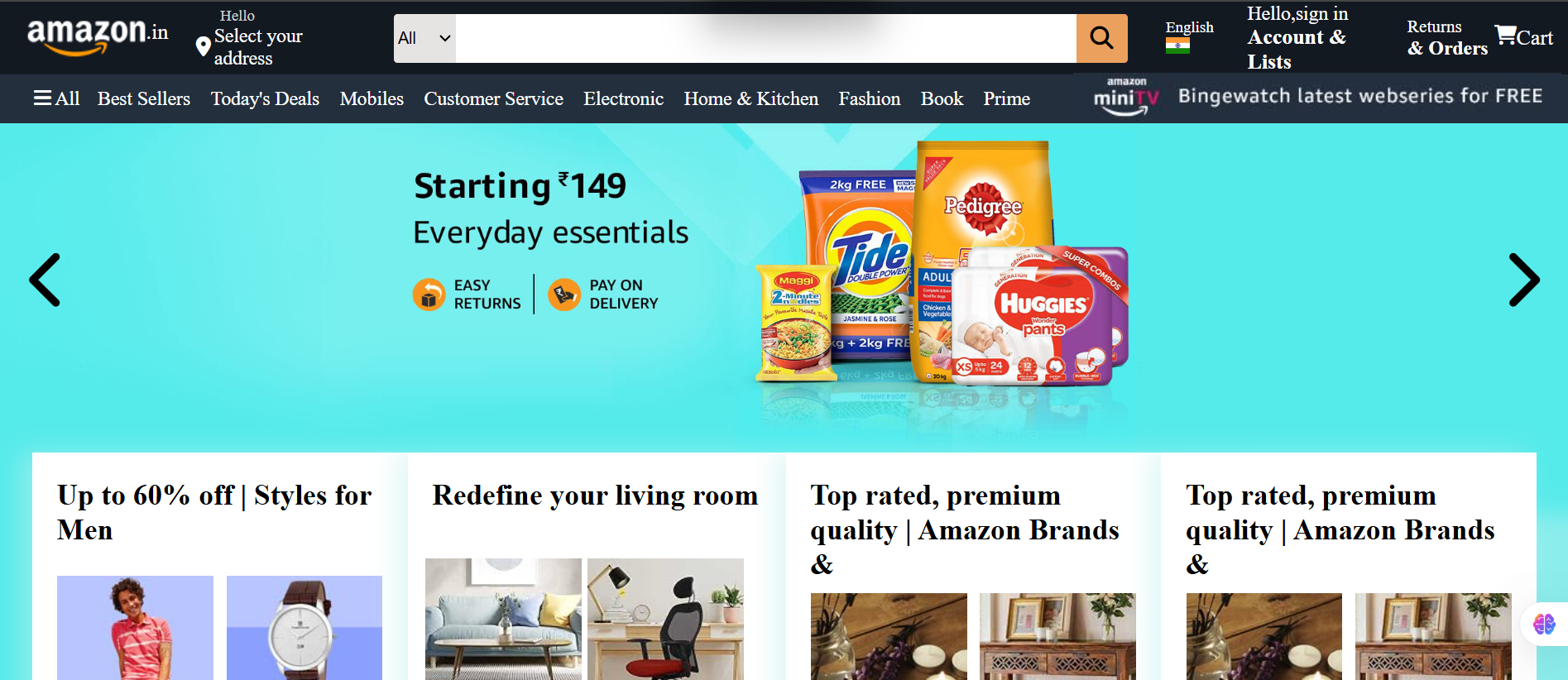
A modern Amazon-inspired e-commerce landing page clone built with HTML5 and CSS3 for practicing real-world front-end development, responsive layouts, Flexbox, Grid, navigation bars, product sections, and UI styling.





This project is a front-end recreation of an Amazon-style e-commerce homepage created as a learning and practice project.
The goal of this project is to understand how a large e-commerce interface can be structured using fundamental web technologies such as HTML and CSS.
The interface focuses on:
- 🧭 Navigation and header layout
- 🔎 Search interface
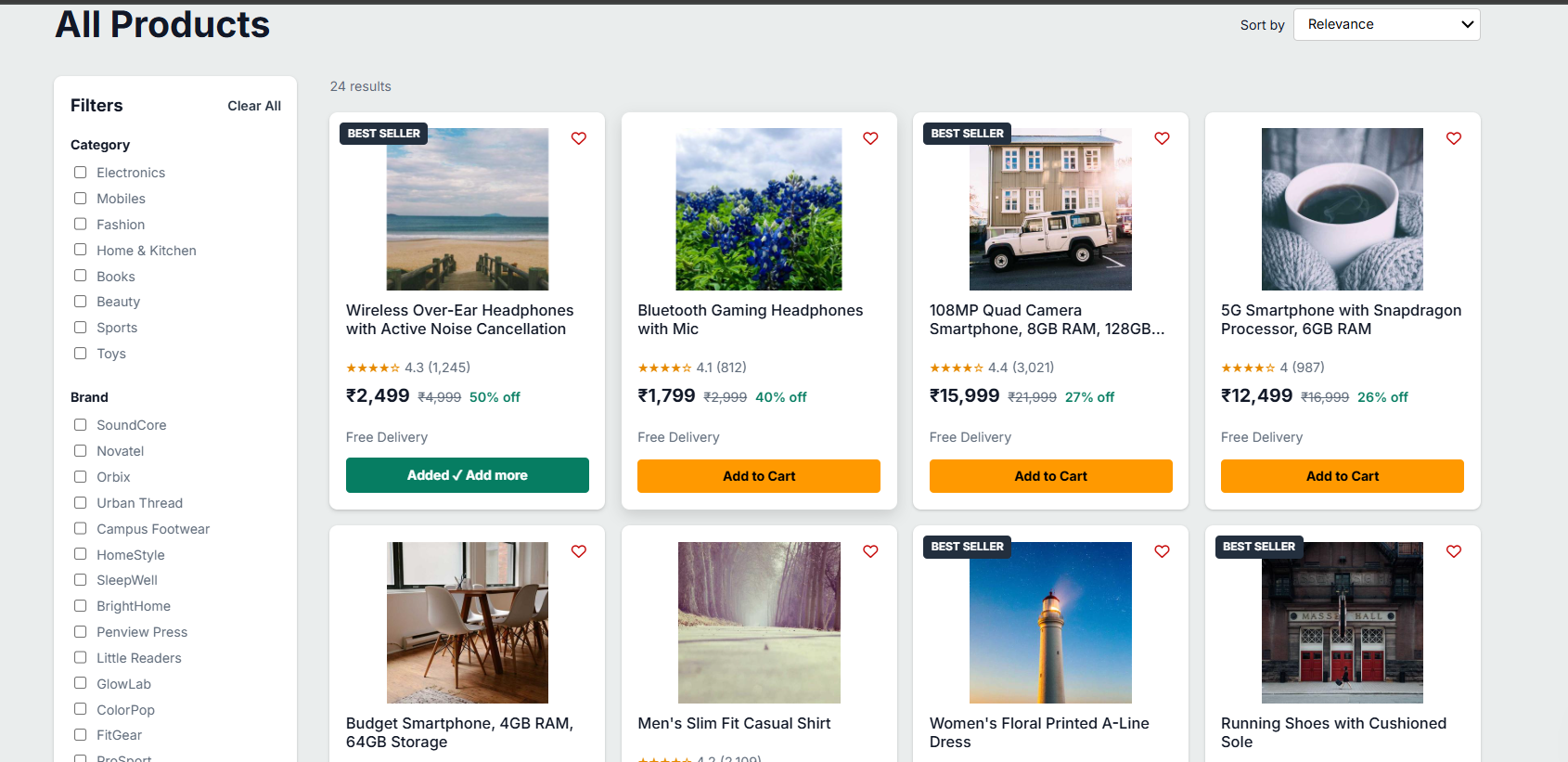
- 🛍️ Product/category sections
- 🖼️ Product cards and images
- 📦 E-commerce-style content organization
- 📐 Flexbox and Grid layouts
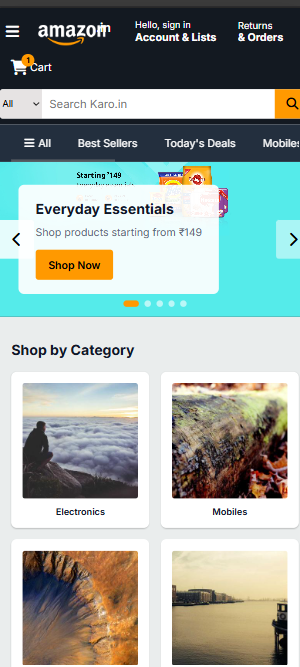
- 📱 Responsive-friendly structure
- 🎨 Modern visual styling
This project is intentionally kept lightweight and does not require any build tools, frameworks, or backend server.
A structured navigation area inspired by modern e-commerce websites, including sections such as:
- Brand/logo area
- Search bar
- Account-related navigation
- Cart section
- Navigation links
The project demonstrates how product content can be organized into visually appealing sections using reusable HTML structures.
Modern CSS layout techniques are used to create organized and flexible sections.
The layout is designed with responsiveness in mind and can be further improved for different screen sizes.
The code is intentionally kept simple and beginner-friendly so that developers can easily understand and modify it.
No frameworks, package managers, or complicated build processes are required.
Simply open the HTML file and start exploring the project.
| Technology | Purpose |
|---|---|
| 🟧 HTML5 | Page structure and semantic markup |
| 🟦 CSS3 | Styling, layout, spacing, colors and responsiveness |
| 📦 Flexbox | Flexible page and component layouts |
| 🔲 CSS Grid | Product/category grid layouts |
Amazon-Clone/
│
├── index.html
├── STYLE.CSS
│
└── README.md
Contains the main structure and content of the Amazon-inspired homepage.
Contains the complete styling and layout rules used throughout the project.
Project documentation, setup instructions, features, and development information.
You don't need Node.js, npm, or any build tool to run this project.
git clone YOUR_REPOSITORY_URLcd Amazon-CloneSimply open:
index.html
in your preferred browser.
That's it! 🎉
For a better development experience:
- Open the project in Visual Studio Code
- Install the Live Server extension
- Open
index.html - Right-click the file
- Select Open with Live Server
Your project will open automatically in the browser.
This project was created to practice and understand:
- HTML page structure
- Semantic HTML
- CSS selectors
- CSS box model
- Flexbox
- CSS Grid
- Navigation layouts
- Product card design
- Image handling
- Spacing and alignment
- Responsive design principles
- Website organization
- Git and GitHub workflow
You can easily extend this project.
Replace placeholder image paths with your own images:
<img src="images/product.jpg" alt="Product name">Create additional product cards using the existing HTML structure.
Modify colors, spacing, fonts, borders, shadows, and backgrounds inside:
STYLE.CSS
Add or improve media queries:
@media (max-width: 768px) {
    /* Mobile styles */
}The project can later be upgraded with JavaScript functionality such as:
- Search
- Shopping cart
- Product filtering
- Product details
- Login/signup UI
- Wishlist
- Quantity controls
- Interactive navigation
- Dark mode
This project currently focuses primarily on the front-end UI.
Planned improvements could include:
- Add JavaScript interactions
- Functional search
- Functional shopping cart
- Product filtering
- Product detail pages
- Login and registration UI
- Wishlist functionality
- Dark mode
- Improved mobile navigation
- Product carousel
- Backend integration
- Database integration
- User authentication
- Order management
- Payment integration
Building this project helped strengthen my understanding of front-end web development and how real-world e-commerce interfaces are organized.
Key areas of practice included:
HTML → Structure → CSS → Layout → Responsive Design → UI Development
It also provided practical experience in turning a visual website concept into a structured webpage using fundamental web technologies.
This project is created strictly for educational and front-end development practice.
It is an unofficial Amazon-inspired UI recreation and is not affiliated with, sponsored by, or endorsed by Amazon.
Amazon's name, logo, trademarks, product images, and other brand assets belong to their respective owners.
Contributions and improvements are welcome.
If you'd like to improve the project:
- Fork the repository
- Create a new branch
git checkout -b feature/improvement- Make your changes
- Commit your changes
git commit -m "Improve Amazon clone UI"- Push the branch
git push origin feature/improvement- Open a Pull Request 🚀
Found a bug or have an idea for improvement?
Feel free to open an issue and describe:
- What happened
- What you expected
- How to reproduce the issue
- Screenshots, if applicable
Every constructive suggestion can help improve the project.
Front-End Developer | BCA Student | Web Development Enthusiast
I enjoy building websites, experimenting with modern UI designs, and learning new technologies in web development.
- 💻 GitHub: Code With Vishesh
- 💼 LinkedIn: Code With Vishesh
- 📸 Instagram: @code_with_vishesh
▶️ YouTube: CODE WITH VISHESH- 🌐 Portfolio: Visit My Portfolio
If you found this project useful for learning, consider giving the repository a ⭐ on GitHub.
Your support helps encourage more projects and continuous learning! ❤️
This project is intended for educational and learning purposes.
You may modify and extend the code for your own learning and practice.
If you plan to distribute the project publicly, consider adding an appropriate open-source license such as MIT License.