




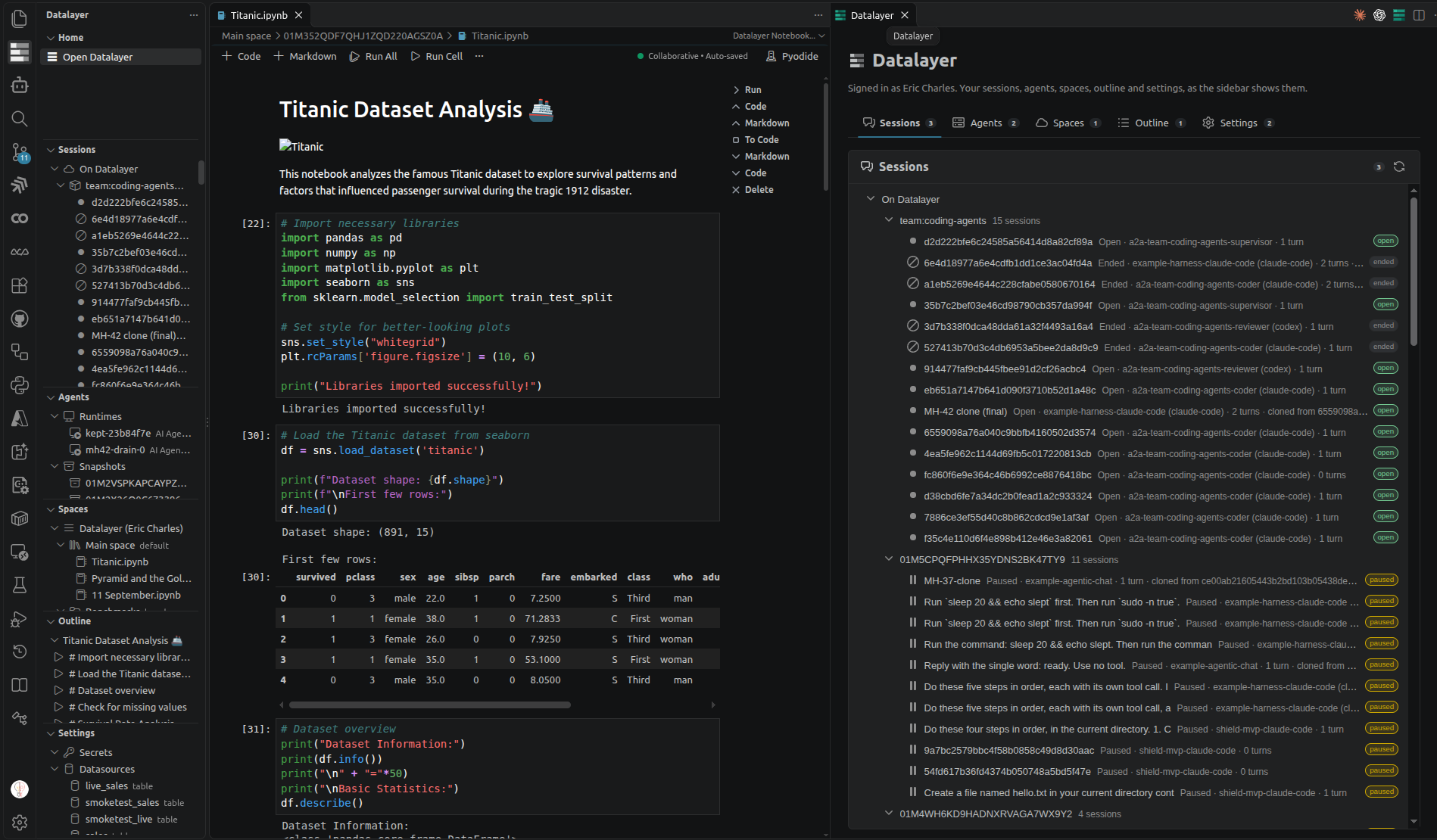
Your Datalayer agents and their sessions, in VS Code. Talk to the applications you deployed, decide their approvals from the editor, pick any conversation back up, and run a coding agent in your own folder behind the Shield. Notebooks and documents run on cloud runtimes when you need the compute.
Pick an application you deployed in the Datalayer Agent Studio in the Datalayer Chat sidebar and talk to it. The conversation is a session of the deployment, in your name.
- Approvals when a rule says ask me first: in the chat, or from the editor's notification.
- Diffs of what a coding agent changed, opened in the editor's diff view.
- Terminals showing what the agent ran, as it runs.
- The status bar says when sessions are waiting for you.
The Sessions view lists your conversations, on Datalayer and on this machine, with their state, agent and turns. Right-click one to Resume, Switch Agent…, Clone from Here…, Export…, Rename…, Archive or End; import a session from a file.
Run Claude Code, Codex or another coding agent of the catalogue in a workspace folder, behind the Shield, through a local runtime. Install loop once:
uv tool install 'agent-runtimes[shield]'Then Datalayer: Check a Coding Agent on This Machine, and Datalayer: Start a coding agent here.
More about local coding agents →
Jupyter notebooks and Datalayer documents, run on cloud CPUs or GPUs, local Python or your Jupyter servers, switched from the kernel picker. Your cloud spaces are in the sidebar.
More about notebooks, documents and runtimes →
- Install from the VS Code Marketplace, or a
.vsixfrom the releases (Extensions: Install from VSIX…). - Create a free account at datalayer.app.
- Sign in: Datalayer: Login to Datalayer.
- Open Datalayer: Home, or the Datalayer Chat sidebar.
All commands and settings: guides/commands-and-settings.md.
- DEVELOPMENT.md: setup, debugging, architecture
- CONTRIBUTING.md and TESTING.md
- CHANGELOG.md
- API reference
GitHub issues · Datalayer docs · datalayer.ai
MIT, see LICENSE.