
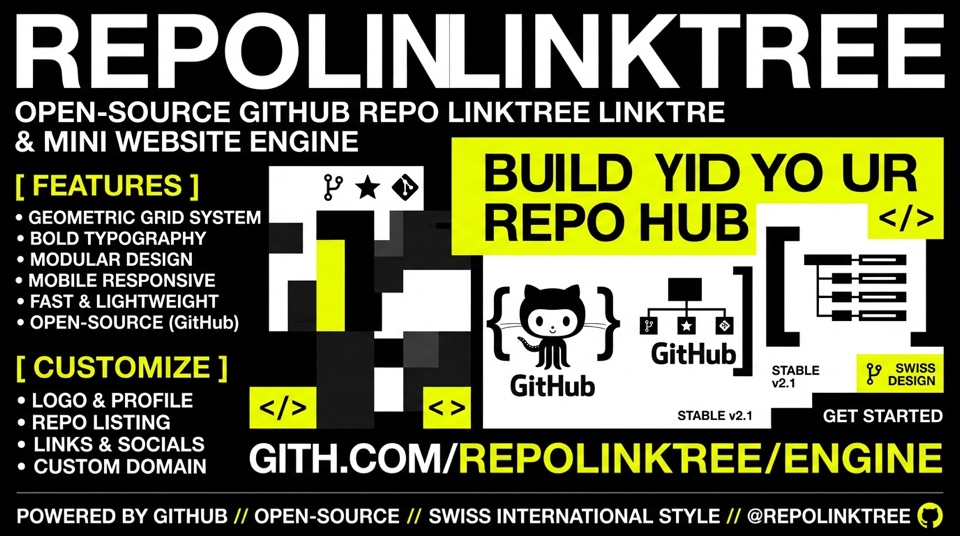
A zero-dependency, mobile-first engine that transforms any public GitHub repository showcase into an ultra-minimal Swiss Linktree or tactile Tinder-style card deck.
Built with modern vanilla Web standards (ES6+ / CSS3). Zero compilation steps. Zero backend. 100/100 Lighthouse performance.




Maintaining a personal developer portfolio or social linktree is often an exercise in redundancy. You update projects on GitHub, and then have to manually rewrite descriptions, update links, and maintain external site builders.
GitHub Repo Linktree Engine solves this permanently. It connects directly to the public GitHub REST API (api.github.com/users/:username/repos), automatically aggregates all your non-fork public repositories, and renders them in an ultra-clean, Swiss International Typography layout optimized for mobile screens.
Visitors can interact with your portfolio across 3 distinct presentation modes:
- 🗂 Masonry Schede (Default): Authentic, tangible cards with high-impact cover artwork, category badge, index counter, and dual action buttons (
Live Demo ↗andGitHub Code ↗). On mobile, cards stack vertically one above the other in an ergonomic touch feed; on desktop and tablet, cards automatically align into an expansive responsive multi-column grid side-by-side. - 🃏 Tactile Swipe Deck (Alternative): A Tinder-style physical 3D card stack with fluid touch drag/swipe physics, rotation inertia, snap-back springs, and keyboard arrow controls.
- 📋 Compact Swiss Linktree: A minimal, ultra-clean list view with instant fuzzy filtering and compact rows for high-density scanning.
We built this engine around a strict zero-bloat philosophy:
- A GitHub username: That is literally all that is required to fetch and display your public repositories.
- Any static web host: GitHub Pages (100% free), Netlify, Vercel, Cloudflare Pages, or traditional FTP / shared hosting (Apache/Nginx).
- ❌ NO Node.js, npm, or yarn: No
package.json, nonode_modulesweighing 400MB. - ❌ NO build step or bundler: No Webpack, Vite, Rollup, or Babel compiling your code. Edit an HTML or JSON file and it is live instantly.
- ❌ NO frontend frameworks: Pure vanilla JavaScript (ES6+) and modern CSS variables. No React, Vue, Svelte, or Tailwind overhead.
- ❌ NO backend server or database: No PHP, Python, or SQL databases to configure, patch, or maintain.
- ❌ NO GitHub Personal Access Token (PAT): Queries public endpoints without requiring sensitive API keys or credentials.
- ❌ NO monthly fees: No Linktree Pro or portfolio site subscription costs.
- ⚡ Blazing Fast Performance (100/100 Lighthouse):
- First Contentful Paint < 50ms.
- Total payload ~25KB.
- Native browser rendering with zero runtime overhead.
- 🗂 Responsive Masonry & Tactile Cards:
- Vertical card stack on mobile viewports for effortless scrolling.
- Adaptive 2 to 3-column side-by-side grid on tablet and desktop.
- Cover artwork with automatic Swiss typographic fallback for repos without an image.
- 🃏 3D Card Deck with Touch Physics:
- Drag, tilt, and swipe cards left or right on mobile screens or with mouse desktop drag.
- Smooth perspective transformations (
translate3d,scale,rotate). - Next/Previous arrow controls and counter (
01 / 24).
- 📋 Searchable Linktree List:
- Real-time search filter across project titles, descriptions, and languages.
- Category pill filter: All, Web Apps, Tools, Visual, Editorial.
- 🎨 3 Curated Swiss Design Themes:
acid: Signature Swiss high-contrast layout (pure white#ffffff, deep ink#111111, electric acid yellow#dfff00).dark: Deep OLED graphite (#0c0d10) with high-contrast typography.warm: Editorial book paper (#fbf8f3), graphite ink (#1c1917), crimson accents.
- 🖼️ Bespoke Cover Artwork Support:
- Map custom cover images for your flagship repositories via
config.json(customCovers) or save images inassets/covers/<repo-name>.jpg. - Automatic typographic fallback card when no custom cover image is assigned.
- Map custom cover images for your flagship repositories via
- 🔗 Custom Demo URL Overrides:
- Override GitHub repository homepage with custom deployment links (Netlify, Vercel, custom domain) via
customDemos.
- Override GitHub repository homepage with custom deployment links (Netlify, Vercel, custom domain) via
- ⚙️ Built-In In-Browser Configurator:
- Test any GitHub username in real time.
- Switch themes and default layouts with one click.
- Checkbox manager to hide or pin specific repositories.
- Export ready-to-use
config.jsonor copy a shareable preview link (?u=yourname&theme=dark).
- 🚀 Offline Cache:
- Client-side
localStoragecaching with 10-minute TTL to stay within GitHub API rate limits. - Bundled PWA
manifest.webmanifestand Service Worker readiness.
- Client-side
Click the Fork button on top of this repository (https://github.com/emaf205/github).
Open config.json in your repository and replace "your-github-username" with your GitHub handle:
{
  "username": "your-github-username",
  "name": "Your Name",
  "title": "Projects & Repositories",
  "theme": "acid",
  "layout": "cards"
}- Go to your repository's Settings tab.
- In the left sidebar, click Pages.
- Under Build and deployment > Branch, select
mainand/ (root). - Click Save.
Your portfolio is live at https://<your-username>.github.io/github/!
You can preview any GitHub user's repositories immediately on the live demo using URL parameters:
https://emaf205.com/github/?u=torvalds&theme=dark&layout=cards
Supported query parameters:
?u=username— Loads any public GitHub user's repositories.?theme=acid|dark|warm— Switches the color scheme.?view=cards|deck|list— Sets the default view to Masonry Cards, Swipe Deck, or Compact List.?hide=repo1,repo2— Hides specific repositories from the deck and list.?config=1— Forces the interactive configuration drawer to open.?hide=repo1,repo2— Hides specific repositories from the deck and list.?config=1— Forces the interactive configuration drawer to open.
The entire engine is declaratively configured through config.json. Here is the full schema:
{
  "username": "your-github-username",
  "name": "Your Name or Brand",
  "title": "Projects & Repositories",
  "tagline": "Software, web apps and client-side utilities.",
  "theme": "acid",
  "layout": "deck",
  "homeUrl": "https://yourwebsite.com",
  "blogUrl": "https://yourwebsite.com/blog/",
  "hideConfigButton": false,
  "hideForks": true,
  "excludedRepos": [
    "old-archive-repo",
    "dotfiles"
  ],
  "pinnedRepos": [
    "flagship-app",
    "popular-library"
  ],
  "customDemos": {
    "flagship-app": "https://flagship.example.com",
    "web-utility": "https://utility.netlify.app"
  },
  "customCovers": {
    "flagship-app": "assets/covers/flagship-app.jpg",
    "web-utility": "https://cdn.example.com/utility-banner.jpg"
  }
}| Field | Type | Default | Description |
|---|---|---|---|
username |
String | "your-github-username" |
Your GitHub profile handle used to fetch repositories. |
name |
String | "Your Name" |
Display name shown in the top-left brand header. |
title |
String | "Projects & Repositories" |
Page title rendered in browser tab and metadata. |
tagline |
String | "" |
Subtitle description for search engines and social cards. |
theme |
String | "acid" |
Visual theme: "acid" (Swiss white/yellow), "dark" (OLED), or "warm" (paper/crimson). |
layout |
String | "deck" |
Default view on initial load: "deck" (card stack) or "list" (linktree). |
homeUrl |
String | "" |
Destination URL when clicking the logo or Home link. |
blogUrl |
String | "" |
Optional link to your external blog in the footer. |
hideConfigButton |
Boolean | false |
Set to true to hide the gear icon ⚙️ for visitors on your production site. |
hideForks |
Boolean | true |
Automatically hides forked repositories to display only original work. |
excludedRepos |
Array | [] |
Array of repository names to hide from public display. |
pinnedRepos |
Array | [] |
Repository names that should appear first in the card stack and list. |
customDemos |
Object | {} |
Map of repo-name: live-url to override the "Open Project ↗" button target. |
customCovers |
Object | {} |
Map of repo-name: image-path to assign high-impact cover artwork. |
To make your card deck look extraordinary:
- Create or export an image (aspect ratio 16:10 or 16:9, recommended resolution 960x600px in
.jpgor.webp). - Save it in the
assets/covers/directory, named identically to your repository name (e.g.assets/covers/my-project.jpg). - Add the mapping to
config.json:"customCovers": { "my-project": "assets/covers/my-project.jpg" }
- If an image fails to load or is not specified, the engine automatically generates a clean Swiss typographic fallback card with the repository's category and title.
- Push changes to
main. - Enable Pages in repository settings.
- 100% free, automatic SSL certificate, global CDN.
- Upload all repository files to your server (e.g.
public_html/github/). - Includes pre-configured
.htaccessandindex.phpfallback for zero-configuration Apache serving.
- Connect your GitHub repository.
- Build command: (leave empty / no build required).
- Publish directory:
.(root).
├── index.html            # Semantic HTML5 markup, zero framework dependencies
├── style.css             # Modular Swiss design system, themes, and card deck animations
├── app.js                # Core engine: GitHub API fetcher, 3D swipe physics, cache, configurator
├── config.json           # User configuration (your username, theme, custom covers, demos)
├── config.example.json   # Reference configuration template
├── repos.json            # Offline fallback dataset
├── assets/
│   └── covers/           # High-impact cover images for card deck
├── favicon.svg           # Vector favicon
├── manifest.webmanifest  # Progressive Web App manifest
├── .htaccess             # Apache DirectoryIndex & routing rules
├── index.php             # PHP wrapper for traditional hosting
└── README.md             # Documentation
Distributed under the MIT License. Free for personal and commercial use.
Designed and maintained by Emanuele BDC (emaf205).