Repository navigation
ProjectSettings
Projects in the Eclipse workspace can comprise many specific settings: compiler warnings, CheckStyle settings, editor save actions, code formatting rules, and so on. Applying these settings selectively to a project makes sense (they are stored in the project itself and thus under version control; you can change them selectively for individual projects). But then you have to do a lot of manual work on the project settings dialogs. The Project Settings feature in Usus makes this task much more convenient.
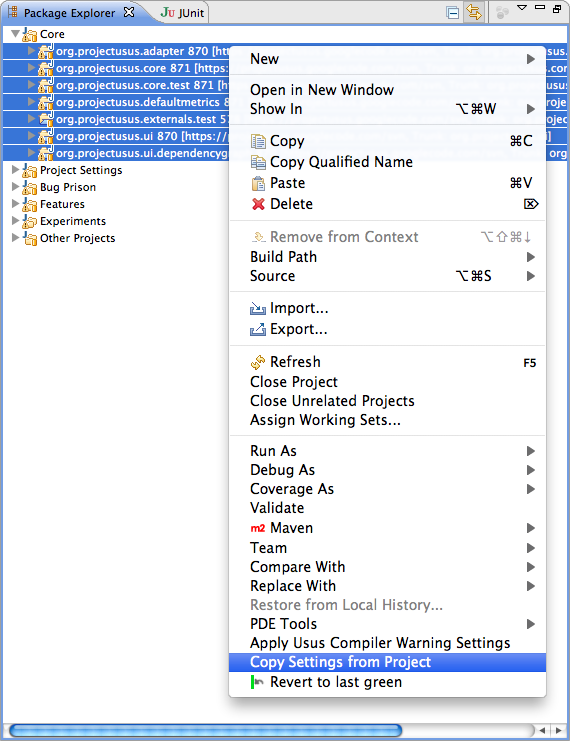
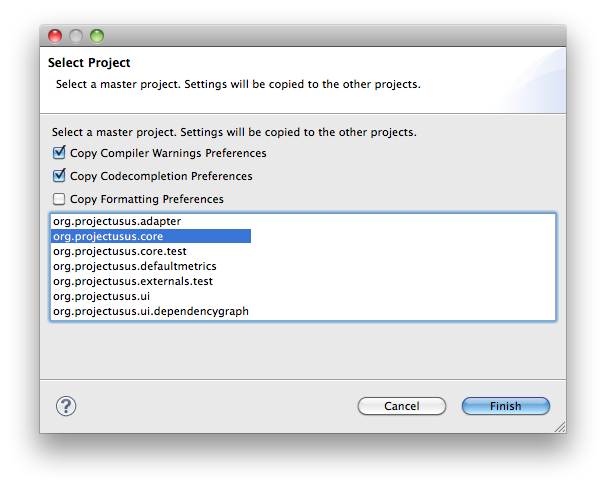
Simply select a couple of projects in the Package Explorer and choose "Copy Settings from Project" from the context menu. In the wizard, select what kind of settings you want to copy and a "master" project which will be used as the source of the settings.